| |
|
ARCHIMED PRO™: Image Capture, Archiving,
Processing & Editing in one product
|
| |
Image Data Base
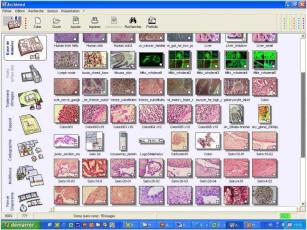
ArchiMedPro™ is an MS Access™ based image data base which provides immediate visualisation of all archived images. Speed of the database is preserved by storing a permanent link between the index and the high resolution stored images. Any TIFF, JPEG or BMP images from scanners or cameras can be directly imported into the database.
|
|
|
|
| |
|
| |
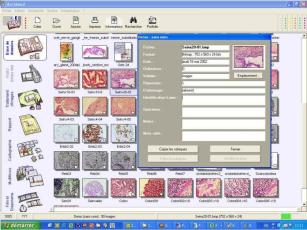 |
Image Information
Each image can be associated with a list of user defined fields. Some fields are automatically completed (Image name, disc location, date, resolution etc). Others can be customised to meet experimental needs.
|
|
| |
|
| |
Easily Accessed Images
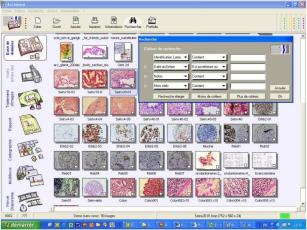
Each image can be sorted and rapidly retrieved thanks to the multi-criteria search tool.
|
|
|
| |
|
| |
 |
Instant Images Capture
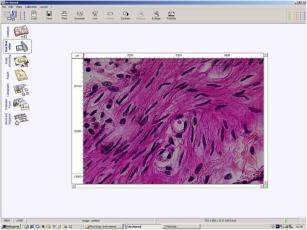
Archimed Pro™ can be interfaced with most analogue or digital cameras for bright field or fluorescence applications. Images are previewed in the live mode and are instantaneously captured and saved into the Database.
|
|
| |
|
| |
Image Annotation & Processing
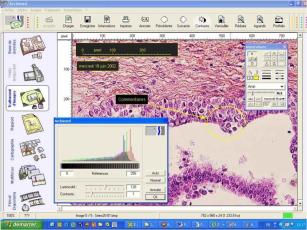
A full tool and filter box is provided for image annotation (text, drawings, arrows, lines etc) and processing (contrast, noise reduction, colour adjustment etc)
|
|
|
| |
|
| |
 |
Easy Image Comparison
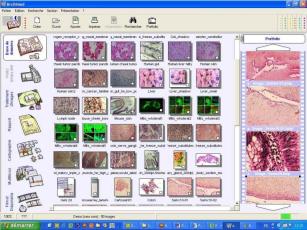
The PortFolio function allows the user to open multiple images simultaneously. This allows comparisons to be made at different magnifications or pathological stages. Images can be moved by dragging and dropping from the database, live image section or the processing section of the portfolio.
|
|
| |
|
| |
Image Reporting
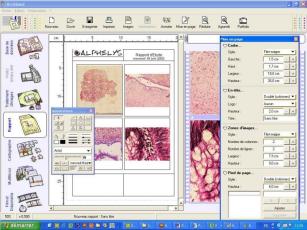
Rapidly create a report by drag and dropping images directly into the reporting section. Images are automatically positioned and the report customised according to experimental needs. The completed report can be copied to a Word or Excel document. |
|
|
| |
|
| |
 |
Cartography Importation
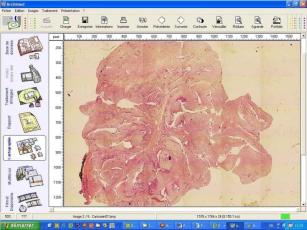
Archimed Pro™ handles cartographies created with the Cartograph™ module or from Spot Browser™ the tissue array analyser. |
|
| |
| |
| |
|